Find the Correct Y2Mate Result When Songs Share a Name
A familiar song title is not always enough to identify the recording you want. The same name can appear on a studio release, a concert performance, a cover, or a completely different song. Before starting an MP3 download with Y2Mate, compare the result with the version you intended to save. A short check of the performer, source title, and running time can prevent a second download and a folder full of nearly identical files.
The goal is not to pick the first attractive thumbnail. It is to connect your search to one particular recording. Once you know the exact upload, a copied YouTube video link is usually a clearer starting point than a broad title alone.
Give your search a useful distinguishing detail
Start with the song title and artist together. If you already know the version, add that detail too. Words such as live, acoustic, instrumental, or a release year can help describe what you are looking for. They are clues, not proof: an uploader can use a familiar name in a title even when the recording differs from the official release.
Imagine three results called “Morning Light.” One is a three-minute studio recording, another is a six-minute stage performance with an introduction, and a third is a piano cover. Searching only the title leaves all three plausible. Adding the performer and “studio” makes your intention more specific, while copying the known upload's link removes much of the ambiguity.
Avoid adding a long chain of unrelated keywords. One or two details that actually distinguish the recording are more useful than repeating download, MP3, or free several times.
Compare the details, not just the artwork
Look at whatever identifying information the result provides. The displayed title may contain the version, while the source or channel may help you recognize the upload. A similar image can be reused across multiple videos, so artwork alone is a weak way to decide.
- Check the performer and whether the title identifies a live performance, cover, edit, or remix.
- Compare the running time with the recording you remember.
- Notice whether the source appears to be the upload you intended, rather than an unrelated re-upload.
- If the details are still unclear, inspect the original video before choosing a file.
Duration is particularly helpful when two versions look alike. A longer result may contain commentary, multiple songs, an extended introduction, or audience applause. A shorter result might be an excerpt rather than the full performance. Neither length is automatically better; the right choice depends on your purpose.
Use a direct link when you already know the upload
If you have the correct video open on YouTube, use its sharing control to copy the video link. Paste that link into the downloader input, then check the result again before proceeding. This gives the converter a more specific reference than a general search phrase, but it does not remove the need to verify the displayed source.
Be careful when copying from a playlist or an embedded page. Make sure the link refers to the intended video, not simply to a collection, channel, or surrounding webpage. YouTube also supports links that begin playback at a chosen time. That playback instruction should not be treated as a promise that a downloader will cut the file at the same point.
The Mp3Juice search page is another same-site starting point for keyword-based music searches. Whichever entry page you use, result identity should come before format selection.
Choose the file after choosing the recording
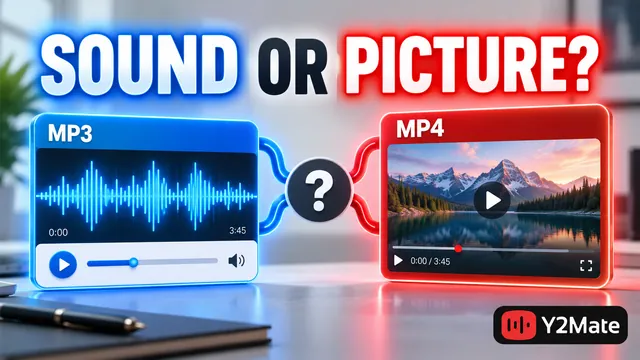
Once the source matches, decide whether you need sound alone or the picture as well. MP3 suits an audio-focused task. An offered MP4 option is more relevant when the performance, demonstration, or on-screen detail matters. Do not let an impressive format label persuade you to save the wrong recording.
For concert material, the live-recording checklist explains why introductions, audience sound, and camera coverage deserve attention. A converter does not automatically turn a live recording into the studio version or remove the crowd. The source you choose remains the foundation of the result.
Verify the file before adding it to your collection
After the browser finishes saving, open the actual local file. Listen to the beginning and a later section, and confirm the running time. For video, also check that the picture matches the selected source. A completed transfer of the wrong version is still the wrong download.
Give the file a useful name after checking it. Include a version label when you keep both a live and studio recording, rather than relying on a numbered suffix generated by the browser. The final playback checklist covers additional checks before you move or organize media.
Frequently asked questions
Is the first result always the original version?
No. Result order does not establish which recording is original, official, or permitted for reuse. Compare the source details and inspect the upload when necessary. If you have a known source link, use it instead of guessing from order.
Can a higher bitrate fix a wrong version?
No. An audio setting changes an output characteristic, not the identity of the performance. Choose the intended recording first. Also remember that a larger bitrate number cannot prove that the source has more audible detail.
Does finding a public video mean I can reuse its music?
No. Access to a video is separate from permission to download, publish, or reuse its contents. Check the rights relevant to your intended use. Search results, familiar artwork, and uploader labels do not supply those permissions.