Estimate a Three-Minute MP3 Download Before Saving It
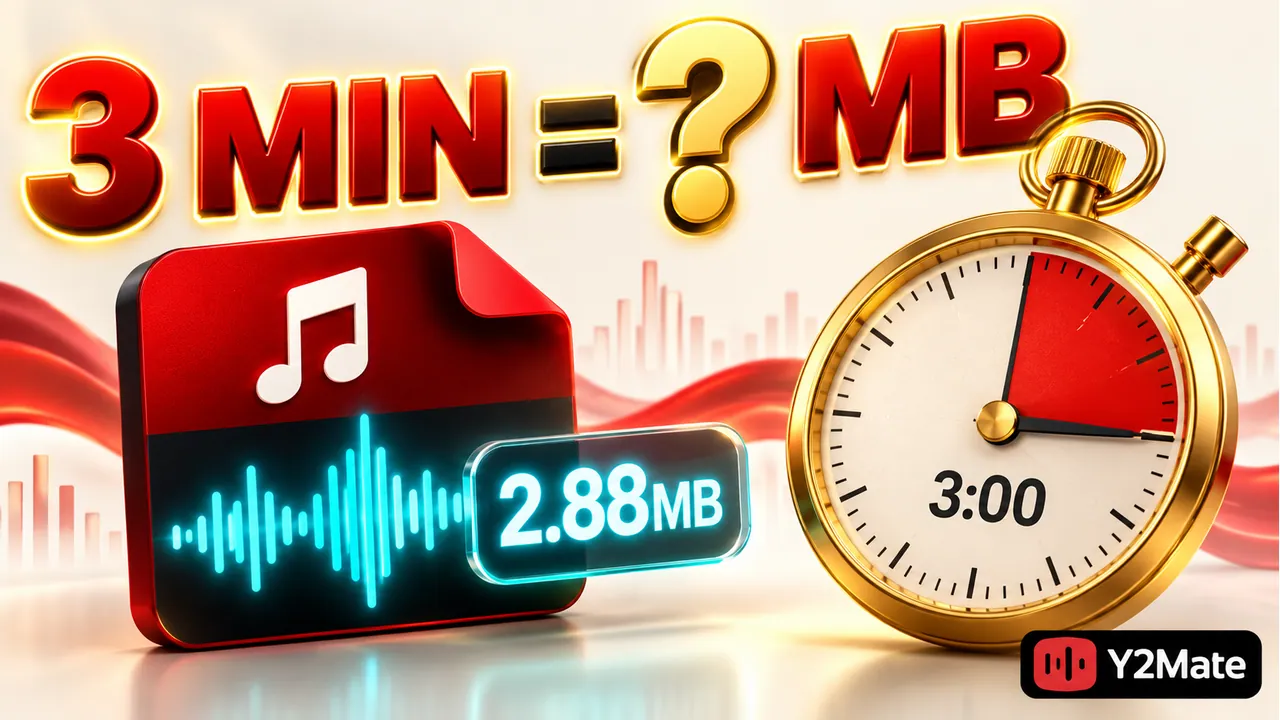
You can estimate an MP3 file's size from its duration and average bitrate. For a hypothetical three-minute recording encoded at a constant 128 kilobits per second, the audio data is about 2.88 decimal megabytes before small additional details such as tags. That calculation is useful when planning storage, but it is not an exact promise about a file offered by Y2Mate. The available output, source, and encoding method still matter.
A size estimate answers a practical question: do you have enough room for the files you intend to save? It does not tell you whether the recording is the right version, whether it sounds good, or whether you have permission to use it.
Start with seconds and bits per second
Three minutes is 180 seconds. A constant bitrate of 128 kb/s means 128,000 bits of audio data for each second in this example. Multiply that rate by the duration, then divide by eight to convert bits to bytes:
128,000 × 180 ÷ 8 = 2,880,000 bytes
Using decimal megabytes, where one MB is one million bytes, this is 2.88 MB. Some devices display storage using binary units or label them differently, so the number in a file manager may not look identical. The underlying byte count is the more precise comparison.
At a hypothetical constant 192 kb/s, the same calculation produces 4.32 MB. At 256 kb/s, it produces 5.76 MB. These are examples for understanding the relationship, not a list of guaranteed download choices.
Know which assumptions can change the result
The calculation is simplest when the entire file uses a constant bitrate. With variable bitrate, the amount of data can change as the audio changes. An average rate can still give a rough estimate, but the actual file size is the result you should use when precision matters.
Tags, embedded artwork, and other file information can add data beyond the audio stream. Their contribution varies. A file with a large cover image may not match a bare audio estimate exactly, and two files with the same track length can have different total sizes.
Duration also needs to be accurate. A “three-minute song” may actually run for three minutes and twenty seconds, or include an introduction. A full concert video can be much longer than the single track named in its title. Check the selected recording rather than estimating from memory.
Use the estimate to plan a small collection
Suppose you want ten permitted recordings, each approximately three minutes long. At the hypothetical 128 kb/s constant rate, their combined audio data would be about 28.8 MB before additional file information. A few longer recordings or different bitrates would change that total.
Leave some free space beyond the estimated final files. Your device needs working room for normal activity, and a browser may still be saving a file while you start another task. Trying to fill storage to the last available byte makes both organization and troubleshooting harder.
- Count the recordings you actually plan to keep, not every search result.
- Use their real durations when you can see them.
- Estimate with the offered bitrate only when it is clearly identified.
- Compare the completed file sizes before downloading a much larger collection.
The YouTube to MP3 page provides an audio-focused entry point. Always review the options for the particular source; a setting seen on one recording may not be available for another.
A larger file is not automatically a better recording
File size describes how much data you saved. It does not prove that the source was clean, complete, or detailed. A long introduction, repeated audio, or a higher output rate can make a file larger without giving you the version you wanted.
Audio encoding also cannot create source detail that was never present. Treat bitrate as one useful technical characteristic, not a quality score. If two downloads differ, compare the recording identity and playback before deciding which to keep. The article on comparing MP3 downloads develops that distinction.
Check the actual saved file
When the browser reports that saving has finished, find the local file and view its size. If it differs substantially from your rough estimate, check the duration, selected format, and whether the transfer completed. A much smaller file can be a clue that something is incomplete, but size alone is not enough to diagnose it.
Open the file in a compatible player and listen to more than the opening seconds. Confirm that the intended audio continues and that the ending is present. Do not delete your only verified copy just because a new file has a larger number beside it. Use the playback checklist before moving files into a permanent collection.
Frequently asked questions
Why does my file manager show a different MB number?
Different tools can use different storage units or rounding. This article's examples use decimal MB. Compare the exact bytes when available, and allow for tags, artwork, duration differences, and the actual encoding method.
Will every three-minute MP3 be 2.88 MB?
No. That figure assumes a constant 128 kb/s rate and exactly 180 seconds of audio, before extra data. Other bitrates, variable encoding, longer versions, and file information produce different results.
Should I always choose the smallest file?
No. Choose an option that suits your permitted use, storage and playback needs. Verify the source and sound. The smallest file is not necessarily the most appropriate, just as the largest is not necessarily the best.