Compare Two MP3 Downloads Without Guessing Their Quality
The larger MP3 is not automatically the better recording. Before comparing two downloads, establish that they contain the same performance, edit, and running time. A studio track and a live version can share a title while sounding entirely different. When choosing audio through Y2Mate, source identity comes first; bitrate and file size only become useful context after you know what you are comparing.
A practical comparison does not require an elaborate listening setup. You need two completed files, a trusted player, a comfortable volume, and a clear idea of the differences that matter to you. The aim is to identify a usable copy, not to claim laboratory measurements from a quick listen.
Match the recording before judging the encoding
Check the performer, source title, and duration for both files. Listen to their opening sections. One may include spoken commentary, a longer introduction, audience applause, or a different ending. These differences can explain a larger size without saying anything about better audio encoding.
Imagine two downloads called Evening Road. The first is a short studio mix, while the second is a longer concert performance. Comparing their sizes as if they were the same content would be misleading. Decide which version you wanted, then compare alternatives for that particular source if they exist.
The live-recording checklist covers the source details that are especially easy to miss when concert and studio results look alike. No output label can turn one performance into another.
Use bitrate and size as context
MP3 uses lossy compression. Encoding choices can affect both file size and audible detail, but a high output bitrate cannot recover information that was already absent from the source. Re-encoding a poor recording at a larger bitrate may produce a larger file without restoring its missing detail.
Duration also contributes to size. A longer recording usually needs more data than a shorter recording under otherwise similar settings, and variable bitrate can change the amount used across passages. Do not infer a precise encoding setting from size alone.
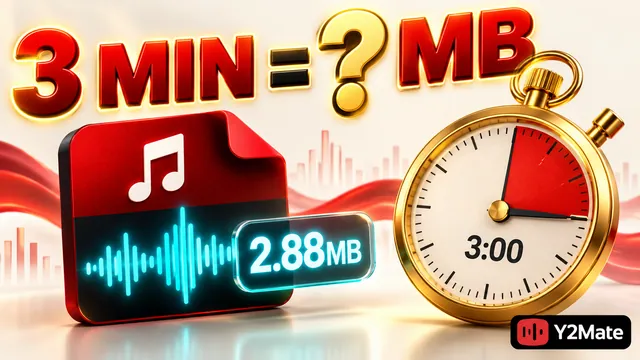
The three-minute MP3 size calculation shows how a hypothetical constant bitrate relates to duration. Use that arithmetic to understand a rough expectation, not to promise that this site offers a particular bitrate or that every output has an identical size.
Choose only among the options actually shown for your selected source. The YouTube to MP3 page provides an audio-focused starting point, but availability can differ. A quality label is not a reason to skip checking the recording you are about to save.
Make the listening comparison fair
Use the same device, player, and headphones or speakers for both files. Compare the same passage at a comfortable, reasonably matched volume. A louder playback can seem more impressive even when it does not reveal more detail. Avoid raising the level to uncomfortable volumes just to search for a difference.
Choose a short passage you recognize. Listen for clear practical issues: missing words, a cut-off note, harsh distortion, a sudden gap, or an unexpectedly silent section. These observations can identify an unsuitable file without pretending that a casual comparison establishes an objective quality score.
Then check another passage and the ending. A file that sounds acceptable for its first few seconds may still be incomplete. Keep notes that identify the actual problem and where it occurs, rather than labeling one copy simply good and the other bad.
- Confirm the same recording and edit before comparing.
- Use completed files rather than a browser preview and a local copy.
- Keep the player, playback device, and listening conditions consistent.
- Compare the same short passage without using excessive volume.
- Check duration, later playback, and the ending as separate completeness tests.
Separate source problems from file problems
If both copies contain the same crowd noise or microphone distortion, inspect the source recording. Those characteristics may already be present before conversion. Downloading it again with another label does not necessarily remove them, and a downloader should not be assumed to isolate vocals or repair clipping.
If only one file stops early or fails at the same point, check whether its transfer completed. Review the browser's status and the actual saved item. An incomplete download and a low-detail source are different issues; treating both as a bitrate problem leads to the wrong retry.
Likewise, a playback error in one application can involve its support for the file rather than the recording itself. Use a trusted compatible player and read the error before creating another copy. Do not rename unrelated files to .mp3 as a troubleshooting shortcut.
Keep the verified copy and avoid needless re-encoding
Once you have identified the intended, complete recording, give it a useful name and store it in a stable location. Include a version label if you keep more than one performance. Do not delete alternatives until you are certain which copy you want to retain and that it still plays from its final folder.
Repeatedly converting an existing lossy file does not create a cleaner original. If you need a better source, look for a permitted recording that actually contains the desired detail instead of repeatedly changing the output filename or encoding the same copy again.
Frequently asked questions
Does a 320 kb/s label prove the file sounds better?
No. It is an encoding characteristic, not proof of the source's quality or identity. Compare the same recording and check actual playback. Lost source detail does not reappear simply because a larger output number is shown.
Why is the longer file larger?
It may contain additional content, such as an introduction or applause, or use different encoding settings. Check both duration and recording version before deciding that extra size represents better quality.
Should I keep both copies?
Keep them until the comparison and completeness checks are finished. Afterward, retain the versions that serve a clear purpose and remove duplicates carefully. A smaller, verified file can be more useful than a larger wrong recording.