
YouTube to MP3 Converter
YouTube to MP3 is for the moments when the sound is the part you want to keep. Paste a video link or find a recording by keyword, then inspect the audio options available through this website's conversion flow. Choose an offered MP3 download for permitted music, an interview, or a personal recording. Begin with a clear source and check the finished file rather than treating a quality label as a promise about the sound.
Trending
Download
Cleveland!
Taylor SwiftBabylon
Taylor SwiftPink Clouding
Taylor Swift
Choosin' Texas
Ella Langley
BAD TIMES
Imael Angel
Make Me Love You
Nickelback
Bad Times (Extended Version)
Imael Angel
Last Thing You Need
Morgan Wallen
My Way
Riley GreenChoose a source and download its audio
- 1
Identify the recording
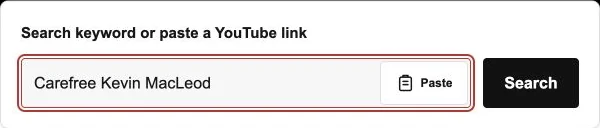
Enter its YouTube video link, or search with the title and artist. Make sure the result contains the performance or spoken recording you wanted.
- 2
Inspect an available MP3 option
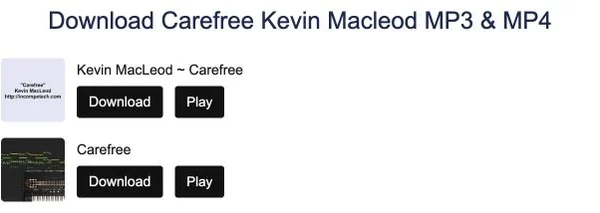
Open the conversion page and look at the offered audio formats. Select MP3 when it is available; do not assume every source has the same choices.
- 3
Save and listen
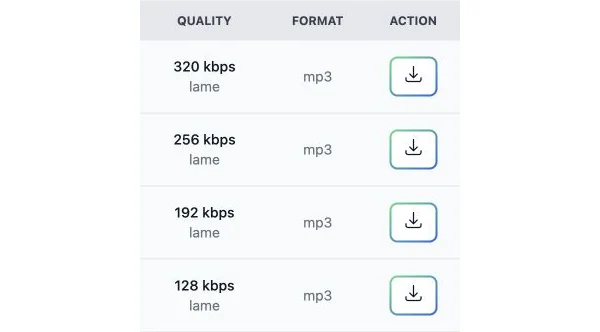
Follow that option's download control and allow the browser transfer to finish. Find the local file and listen to it before adding it to your collection.
Make the audio decision simpler
Sound without the picture
MP3 retains audio rather than the video image. Choose it for material that still makes sense when you listen without watching the screen.
Source-aware selection
Listen to the intended source and note the version you selected. Converting another upload will not turn it into the performance you originally wanted.
A checkable result
The real result is a saved, playable file. Use the browser's download status, file location, and playback to confirm the copy rather than relying only on a finished preparation screen.
Useful audio without unnecessary visuals
A song, a spoken presentation, or an interview can often be understood through sound alone. Other recordings depend on diagrams or visible instructions. Decide which kind of material you selected before converting. If a speaker repeatedly refers to something on screen, an available video file may be more useful than an audio copy, even if your first plan was an MP3 download.
What an audio-quality label can tell you
The original recording limits the detail a converted file can retain. A higher displayed bitrate or a larger file does not recreate sound information absent from the source. Compare the choices actually offered, but start by selecting a clear recording. Repeatedly encoding an existing audio copy is not a way to repair noise, missing detail, or the wrong performance.
File size and duration are different checks
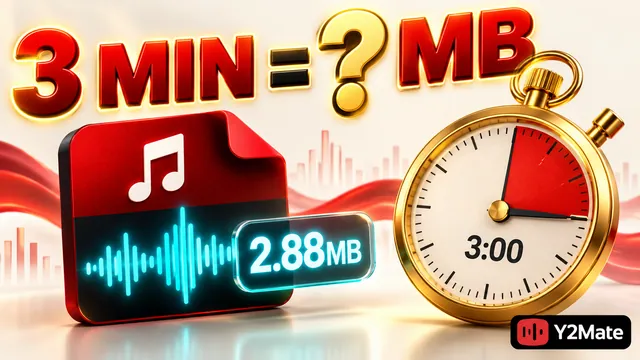
A recording's length and its encoding affect the space an audio file uses. If the conversion page provides size information, consider it alongside the source duration and your available storage. Do not expect identical sizes from different uploads or settings. Once saved, check that the file contains the recording you expected rather than judging completeness from its name alone.
Open the download from its saved folder
Use the browser's Downloads list to see whether a transfer finished and where it was saved. Open the MP3 with a compatible player and check a few passages. Your music application may not import it automatically, particularly when the file remains in a browser download folder. Organize only after you have confirmed a playable copy.
Convert permitted, accessible material
Use YouTube to MP3 for recordings you own or have permission to save, following the source platform's rules. An accessible upload does not itself establish reuse rights. If audio options are missing, check the source and the provider's message. Avoid attempts to bypass a restricted video, and keep your browser's download protections enabled.
YouTube to MP3 Questions
What does YouTube to MP3 do?
It lets you inspect an offered MP3 audio download for a selected YouTube video. The resulting file contains sound, not the video's picture.
Can I use a keyword instead of a YouTube URL?
Yes. Search for a recording with the title and artist, then open the matching result. A direct video link is useful when you already know the exact upload.
Is MP3 the right choice for a visual tutorial?
Not when screen details carry the instruction. Choose an offered video option if you need diagrams, demonstrations, or text that would be missing from audio alone.
Does a bigger MP3 file always sound better?
No. Source quality and encoding matter. A larger file cannot restore information that was not present in the original recording, so check the source and playback.
Can this page remove voices or background noise?
No such editing control is offered here. This page uses the website's existing conversion workflow; it is not an audio editor or a vocal-separation tool.
Why is there no MP3 choice for my video?
The source may be unavailable or unsupported, or the provider may have a temporary problem. Check the message and select only an option actually displayed.
How can I check a completed audio download?
Locate the saved file through the browser's Downloads list, open it with a suitable player, and listen to the beginning and a later passage.
May I reuse the audio after downloading it?
Downloading and reuse permission are separate questions. Confirm the rights needed for your intended use; a public video or a saved file alone does not provide them.